
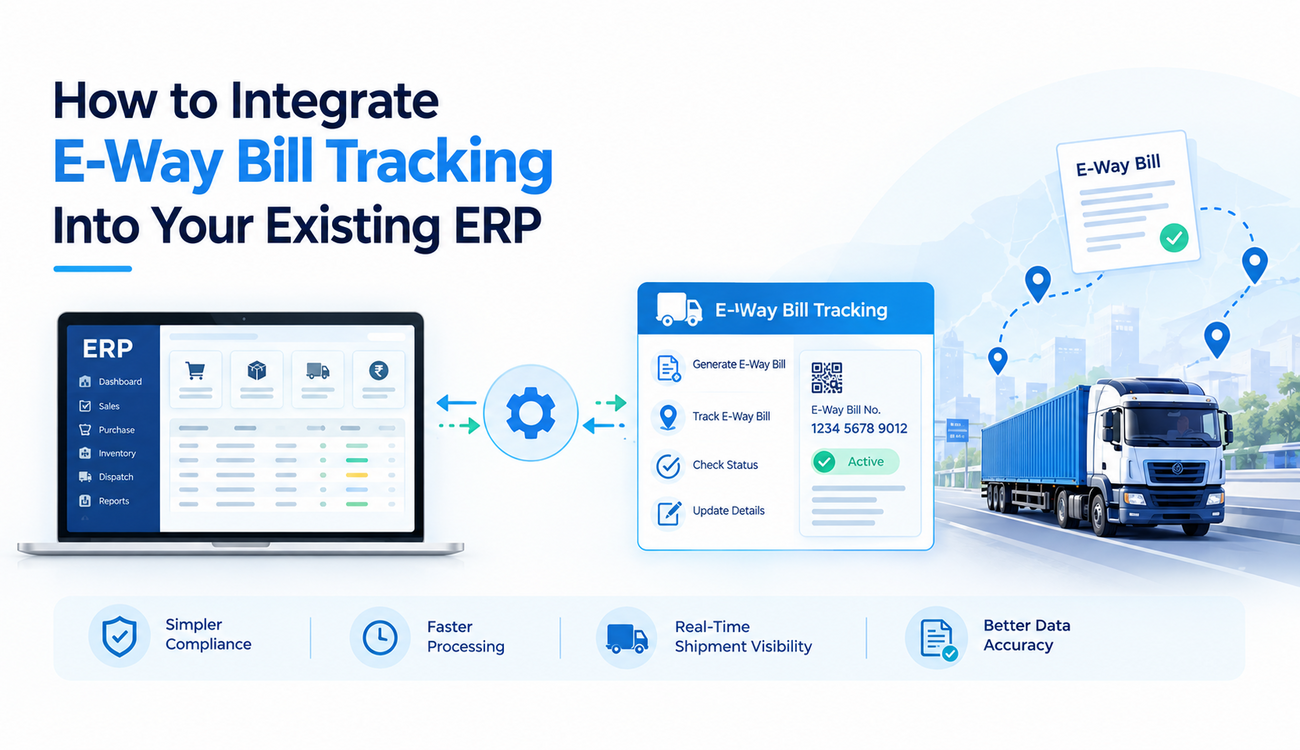
Managing transportation documents, monitoring shipments, and maintaining GST compliance are essential responsibilities for businesses involved in goods movement across India. As supply chains become more complex, relying on spreadsheets, manual updates, and disconnected applications can make these activities time-consuming and error-prone. Integrating an e-way bill tracking system with an existing Enterprise Resource Planning (ERP) platform can help businesses connect transportation documentation with inventory, sales, dispatch, and financial operations.
An ERP platform centralizes important business processes, while e-way bill functionality supports the creation, management, and tracking of electronic waybills required for applicable goods movements under India’s GST framework. When these capabilities work together, businesses can reduce duplicate data entry, improve document visibility, and coordinate shipments more efficiently.
However, successful integration requires more than connecting two software applications. Organizations must understand their existing ERP architecture, identify the appropriate integration method, establish reliable data flows, and validate compliance-related processes. This guide explains how businesses can integrate e-way bill tracking into their existing ERP systems and improve transportation management without disrupting everyday operations.
What is an E-Way Bill Tracking System?
An e-way bill tracking system is a software solution that helps businesses manage electronic waybills associated with the movement of goods. Under India’s GST framework, an e-way bill is generally required for specified movements of goods when the applicable conditions and thresholds are met, subject to relevant exceptions and rules.
The system helps organizations generate or retrieve e-way bill details, associate documentation with transactions, monitor validity, and maintain records for shipment-related activities. Depending on the solution, it may also support vehicle information updates, transporter coordination, document retrieval, and status notifications.
When connected to an ERP platform, the tracking solution can use existing sales orders, invoices, delivery challans, and dispatch records to reduce repeated information entry. It can also return relevant e-way bill references and status information to the ERP, giving authorized teams a more complete view of shipment documentation.
The exact capabilities depend on the integration method, government portal services, third-party provider, and ERP configuration. Businesses should confirm which functions are supported before planning the implementation.
Why Integrate E-Way Bill Tracking With an Existing ERP?
Many businesses already use ERP software to manage inventory, order processing, invoicing, procurement, and warehouse operations. However, e-way bill activities may take place through a separate portal or an additional application, forcing employees to switch between systems and manually transfer information.
This disconnected approach can create duplicate records, inconsistent shipment details, delayed dispatches, and difficulty identifying document-related issues. Integrating the process with an existing ERP can reduce these challenges by connecting transportation documentation with the business transactions that initiate goods movement.
A properly designed integration also improves coordination between finance, warehouse, logistics, and compliance teams. Employees can access relevant information from familiar workflows instead of searching through separate systems.
An integrated e-way bill tracking system can therefore support operational efficiency, improve document availability, and help organizations manage shipment-related information more consistently. However, integration alone does not guarantee compliance; businesses must still apply the relevant GST rules and maintain accurate source data.
Key Benefits of ERP and E-Way Bill Integration
Reduced Manual Data Entry
When invoice and dispatch information already exists in the ERP, integration can transfer supported fields into the e-way bill workflow automatically. This reduces the need for employees to re-enter information such as invoice references, product details, quantities, and transaction values.
Reducing repeated entry can also lower the risk of typographical mistakes and inconsistencies between business documents. Validation rules can identify missing or incorrectly formatted information before a request is submitted.
Faster Dispatch Processing
Transportation documentation can become a bottleneck when employees need to collect information from multiple departments before preparing a shipment. ERP integration can make relevant transaction details available within the dispatch workflow.
When the required information is complete and the connected service is available, employees can initiate supported e-way bill activities more efficiently. This can help reduce avoidable delays between invoice preparation, documentation, and vehicle dispatch.
Better Shipment Visibility
Connecting e-way bill references and status information with ERP delivery records makes it easier to find documentation associated with a particular shipment. Authorized employees can review the available details without searching across multiple applications.
Depending on the integration, the ERP dashboard may also show validity dates, processing errors, or selected status updates. This improves visibility into documentation workflows, although an e-way bill’s status should not be mistaken for continuous GPS-based vehicle tracking.
Improved Record Management
Centralizing relevant e-way bill references alongside invoices, delivery challans, and dispatch transactions can simplify document retrieval. Finance teams, logistics managers, and compliance personnel can access related records through a consistent process.
Reliable records also help organizations prepare for internal reviews, audits, and document verification. Businesses should establish retention policies and access controls according to applicable legal, operational, and security requirements.
How to Integrate E-Way Bill Tracking Into Your ERP
Step 1: Assess Your Existing ERP Environment
The first step is to understand how the current ERP manages sales orders, invoices, delivery challans, inventory, transporters, and dispatch activities. Businesses should identify where e-way bill information is currently created, entered, stored, and retrieved.
The assessment should also document the ERP’s technical architecture, available APIs, customization options, database structure, and existing integration tools. These details help determine whether the organization can connect directly to an authorized service, use a third-party integration provider, or develop a middleware-based solution.
Businesses should involve IT, finance, logistics, warehouse, and compliance teams during this assessment. Their input helps ensure the proposed integration reflects actual operating procedures and applicable GST requirements.
Step 2: Define Integration Requirements and Workflows
Once the existing environment is understood, the organization should define exactly what the integration needs to accomplish. This may include preparing supported e-way bill requests from ERP transactions, retrieving generated document references, checking validity, and displaying processing errors.
The workflow should identify which department initiates each action, which fields are required, and when the system should prevent or flag a transaction. For example, a dispatch workflow might require specific documentation checks before a shipment can be marked ready for dispatch.
A clearly defined process reduces confusion during development and provides measurable criteria for testing. It also prevents businesses from automating unnecessary steps or assuming that every e-way bill activity can be completed through a single interface.
Step 3: Choose the Right Integration Method
The appropriate integration method depends on the ERP platform, technical capabilities, business scale, and access to authorized services. Some organizations may use supported APIs, while others may rely on a GST Suvidha Provider (GSP), an authorized integration partner, or middleware that connects the ERP with the relevant e-way bill services.
Direct integration may provide greater control over workflows, but it can require additional development, maintenance, security reviews, and management of interface changes. A third-party solution may offer prebuilt connectors and faster implementation, depending on the provider’s capabilities.
Businesses should evaluate reliability, documentation, authentication methods, transaction limits, support arrangements, and total implementation costs before selecting an approach. They should also confirm that the proposed method complies with the applicable portal requirements and service terms.
Step 4: Map and Validate ERP Data Fields
Data mapping establishes how information stored in the ERP corresponds to fields required by the e-way bill service. Depending on the transaction and applicable rules, this may include supplier and recipient details, invoice references, document dates, goods descriptions, quantities, values, and transportation information.
The integration should define how each field is sourced, formatted, validated, and handled when information is missing. For example, state codes, document references, and vehicle details may need validation against the requirements of the selected service.
An e-way bill tracking system should also handle exceptions clearly. If a request fails because a mandatory field is missing or the source data is inconsistent, the ERP should provide an understandable error message and a process for correction rather than silently storing incomplete information.
Step 5: Configure APIs and Data Exchange
After mapping the data, technical teams can configure the connection between the ERP and the selected e-way bill service. This may involve API authentication, secure communication, request formatting, response handling, and controlled access to relevant transactions.
The integration should account for network interruptions, service timeouts, rejected requests, duplicate submissions, and delayed responses. Retry mechanisms must be designed carefully so that a temporary failure does not result in unintended duplicate transactions.
Where supported, the ERP should retain transaction references and request outcomes for reconciliation and troubleshooting. Sensitive credentials should be stored securely, access should be restricted, and integration logs should avoid exposing unnecessary personal or confidential information.
Step 6: Test the Integration Before Deployment
Testing should cover the complete workflow, from selecting an eligible ERP transaction to retrieving the resulting e-way bill information. Teams should validate field mapping, document references, error handling, response processing, and the visibility of relevant information in ERP screens.
Testing should also include invalid data, expired or missing information, connectivity interruptions, duplicate requests, and cases where a transaction requires manual review. The organization should verify that failed requests remain distinguishable from successfully processed transactions.
Where an approved test environment or sandbox is available, it should be used according to the service provider’s requirements. Production testing should follow controlled procedures that avoid creating unnecessary or invalid compliance documents.
Step 7: Train Employees and Go Live in Phases
Employees need to understand how the integrated workflow operates, which fields they are responsible for maintaining, and how to resolve errors. Training should explain the difference between ERP transaction status and the actual processing status returned by the e-way bill service.
A phased rollout can help organizations identify issues before extending the integration across all facilities or business units. Starting with a limited set of transactions or one location makes it easier to validate performance and refine procedures.
During the initial deployment, teams should monitor failed requests, processing delays, missing references, and user feedback. Clear escalation procedures help ensure that documentation problems are resolved promptly without unnecessarily disrupting dispatch operations.
Common Challenges and How to Overcome Them
One common challenge is poor source-data quality. Incorrect customer addresses, inconsistent product records, missing document details, or outdated transporter information can cause validation failures. Maintaining accurate ERP master data and applying validation checks before submission can reduce these problems.
Another challenge is changing external service requirements. APIs, authentication procedures, and supported workflows may change over time. Businesses should assign responsibility for monitoring provider updates, testing compatibility, and maintaining the integration.
Network failures and service interruptions can also affect processing. Appropriate timeout handling, controlled retries, error queues, and manual fallback procedures help teams manage these situations without losing track of pending transactions.
Finally, organizations may face difficulties when integrating heavily customized ERP environments. Thorough documentation, modular integration design, and testing with representative business scenarios can reduce the risk of disrupting existing processes.
Best Practices for Successful ERP Integration
Businesses should treat the integration as part of a wider process-improvement initiative rather than a standalone technical connection. Clear ownership, reliable data, secure authentication, documented workflows, and regular monitoring are essential for maintaining long-term performance.
An e-way bill tracking system should also provide clear visibility into request outcomes and exceptions. Employees need to know whether a request is pending, successful, or failed, and what action is required next. Status labels should reflect information actually received from the connected service.
Organizations should periodically review processing times, failure rates, correction frequency, and employee effort. These measurements can help identify opportunities to improve data quality, reduce avoidable manual work, and refine the integration as transaction volumes increase.
Conclusion
Integrating e-way bill tracking into an existing ERP can help businesses connect transportation documentation with invoicing, inventory, and dispatch workflows. With appropriate data mapping, secure integration, thorough testing, and clear operating procedures, organizations can reduce duplicate data entry, improve document visibility, and support more efficient shipment processing.
The success of an e-way bill tracking system depends on selecting a suitable integration method, maintaining accurate ERP data, and keeping the solution aligned with current GST requirements. Businesses should also plan for service interruptions, exception handling, and ongoing maintenance instead of treating integration as a one-time task.
FAQs
Q1. What is an e-way bill tracking system?
An e-way bill tracking system is a software solution that helps businesses generate, manage, retrieve, and monitor electronic waybill information associated with goods transportation. When integrated with an ERP, it can connect e-way bill records with invoices, delivery challans, and dispatch transactions, improving document visibility and reducing manual data entry.
Q2. Why should businesses integrate e-way bill tracking with their ERP?
Integrating e-way bill tracking with an ERP helps businesses automate supported documentation workflows, reduce duplicate data entry, minimize data errors, and improve coordination between finance, warehouse, and logistics teams. It also makes shipment-related documents easier to retrieve and supports more efficient dispatch operations.
Q3. How does ERP integration simplify e-way bill generation?
ERP integration can use existing transaction details, such as invoice numbers, recipient information, goods descriptions, and transportation data, to prepare e-way bill requests. The connected service can return supported document references and processing statuses to the ERP, reducing repetitive work and improving workflow visibility.
Q4. What challenges can occur during e-way bill and ERP integration?
Common challenges include inaccurate source data, API connectivity issues, incompatible ERP configurations, authentication problems, and changes in external service requirements. Businesses can address these challenges through data validation, secure API configuration, comprehensive testing, error handling, and regular integration maintenance.
Q5. Is e-way bill tracking integration suitable for small and medium-sized businesses?
Yes, small and medium-sized businesses can benefit from ERP integration by reducing manual documentation, improving dispatch coordination, and maintaining organized transaction records. The most suitable approach depends on transaction volume, existing software, budget, and operational requirements. Businesses should select a scalable solution that supports applicable GST rules and their current workflows.
